
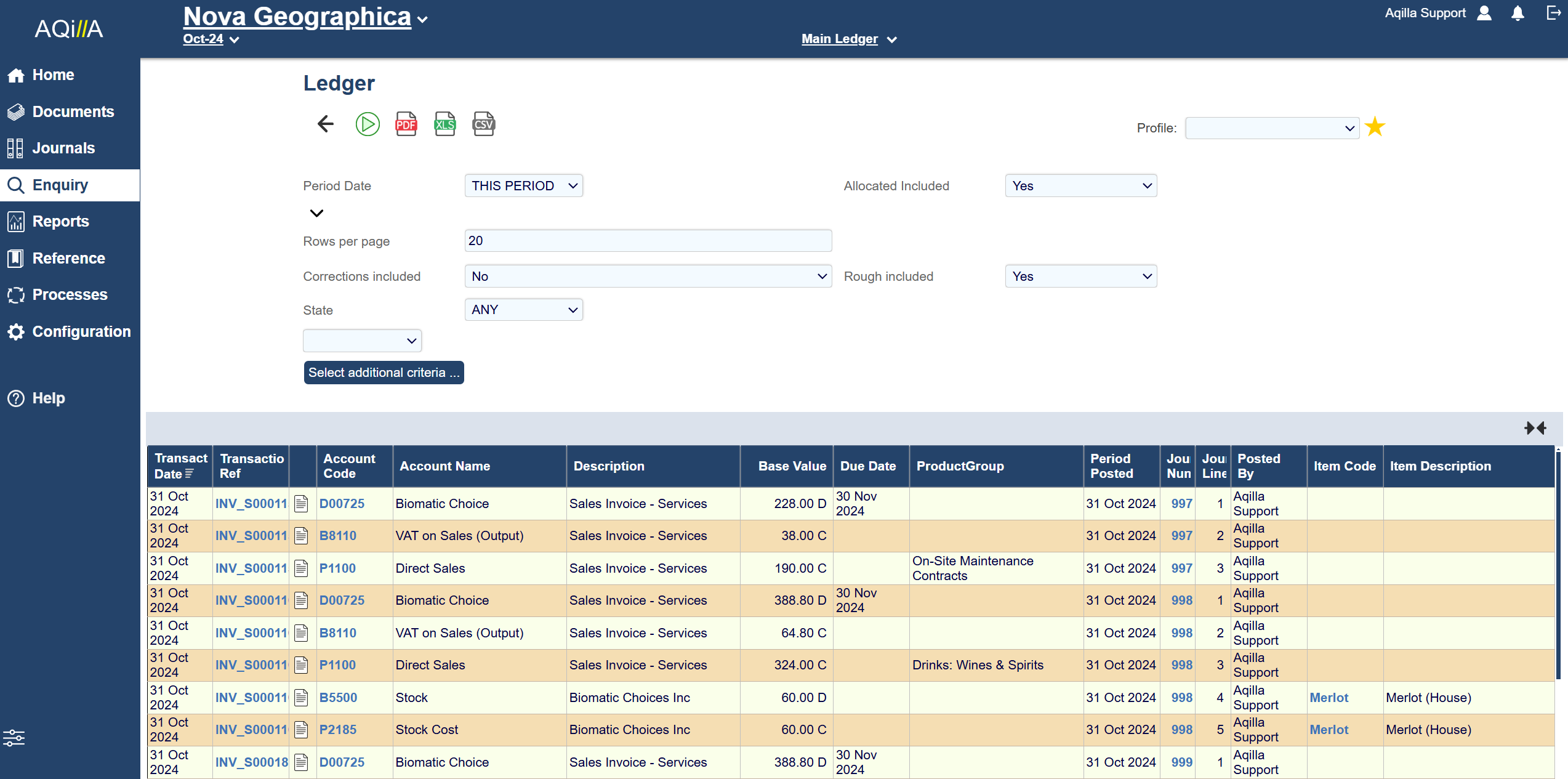
You can enquire on the entire ledger using the following filters. See Enquiries for more details about filters.
The ledger enquiry also has the option to download the search as a PDF or Excel file(XLS or CSV)
Please note the Period and the document Transaction date might be different, and you may have to expand your filters to find a specific document.
Make sure to set the filters correctly to get the enquiry you want.
|
Allocated included |
Yes if you wish to see posted documents or No if you wish to exclude posted documents. |
|---|---|
|
Rough included |
Yes to make sure you see rough posted documents or No if you wish to exclude rough-posted documents |
|
Corrections |
Yes if you wish to see journal corrections the account or No if you wish to exclude journal corrections. |
The Ledger enquiry will return results relative to the ledger you are currently in - e.g. Main, Budget etc.