
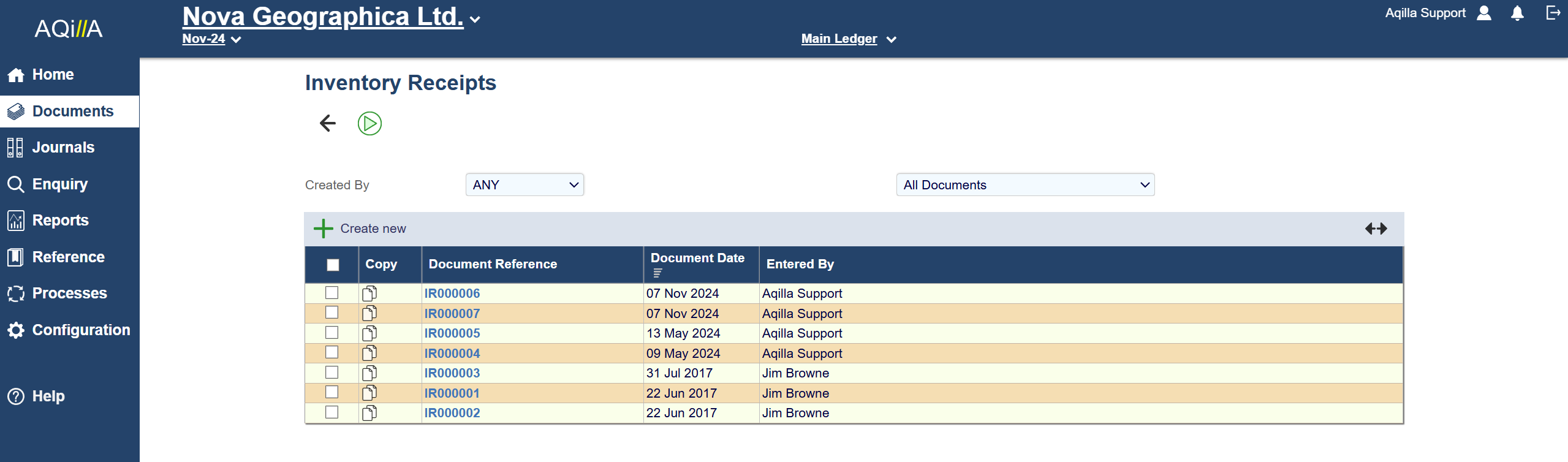
Inventory Transfer
These documents can be configured to capture information relevant to your business processes. Also, through the system’s mapping functionality, this can be recorded against the inventory transactions for analysis and processing purposes.
The additional inventory functionality is enabled by selecting the “Inventory Enabled” flag in ‘Company Information’ under the Configuration tab (only a Pro user can enable this function).
Using the inventory functionality, if a document is creating an inventory issue, the system will automatically match the stock issue against the stock receipt transactions in the same location on a "First in First Out" basis when the document is being fully posted.
Movement and Locations are defined in Configuration -> Movement Type / Locations.
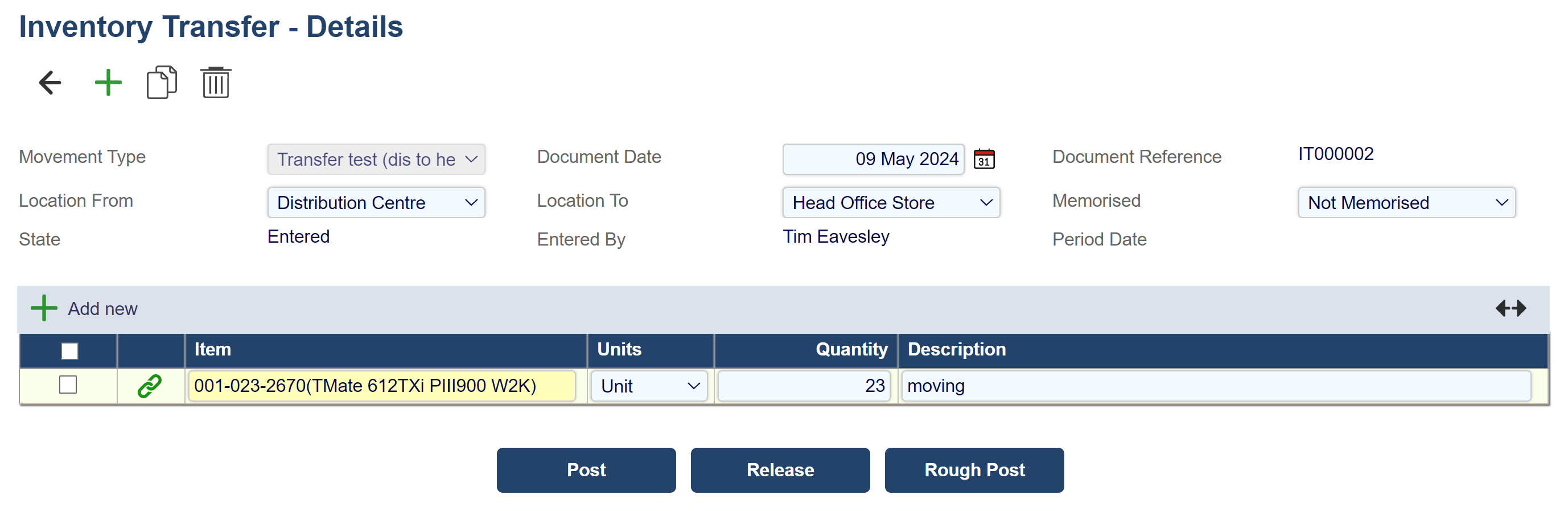
|
Field |
Description |
|---|---|
|
Movement Type |
Description of the type of movement. |
|
Location From |
Stock is moved away from this location. |
|
Location To |
Stock is moved to this location. |
|
Document Date: |
Date of the document. |
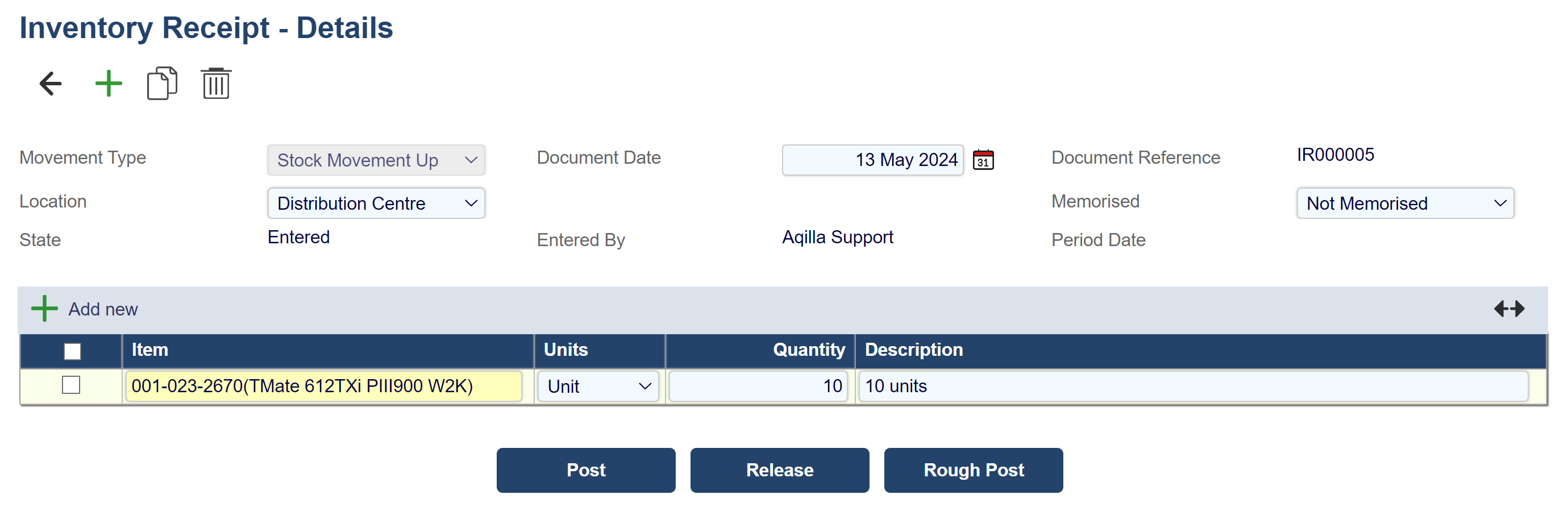
Inventory Receipt
These documents can be configured to capture information relevant to your business processes. Also, through the system’s mapping functionality, this can be recorded against the inventory transactions for analysis and processing purposes.
The additional inventory functionality is enabled by selecting the “Inventory Enabled” flag in ‘Company Information’ under the Configuration tab (only a Pro user can enable this function).
Using the inventory functionality, if a document is creating an inventory issue, the system will automatically match the stock issue against the stock receipt transactions in the same location on a "First in First Out" basis when the document is being fully posted.
Inventory Issues
These documents can be configured to capture information relevant to your business processes. Also, through the system’s mapping functionality, this can be recorded against the inventory transactions for analysis and processing purposes.
The additional inventory functionality is enabled by selecting the “Inventory Enabled” flag in ‘Company Information’ under the Configuration tab (only a Pro user can enable this function).
Using the inventory functionality, if a document is creating an inventory issue, the system will automatically match the stock issue against the stock receipt transactions in the same location on a "First in First Out" basis when the document is being fully posted.
This document is used to decrease the inventory stock due to an issue, e.g. Damaged Goods.
Movement and Locations are defined in Configuration -> Movement Type / Locations.
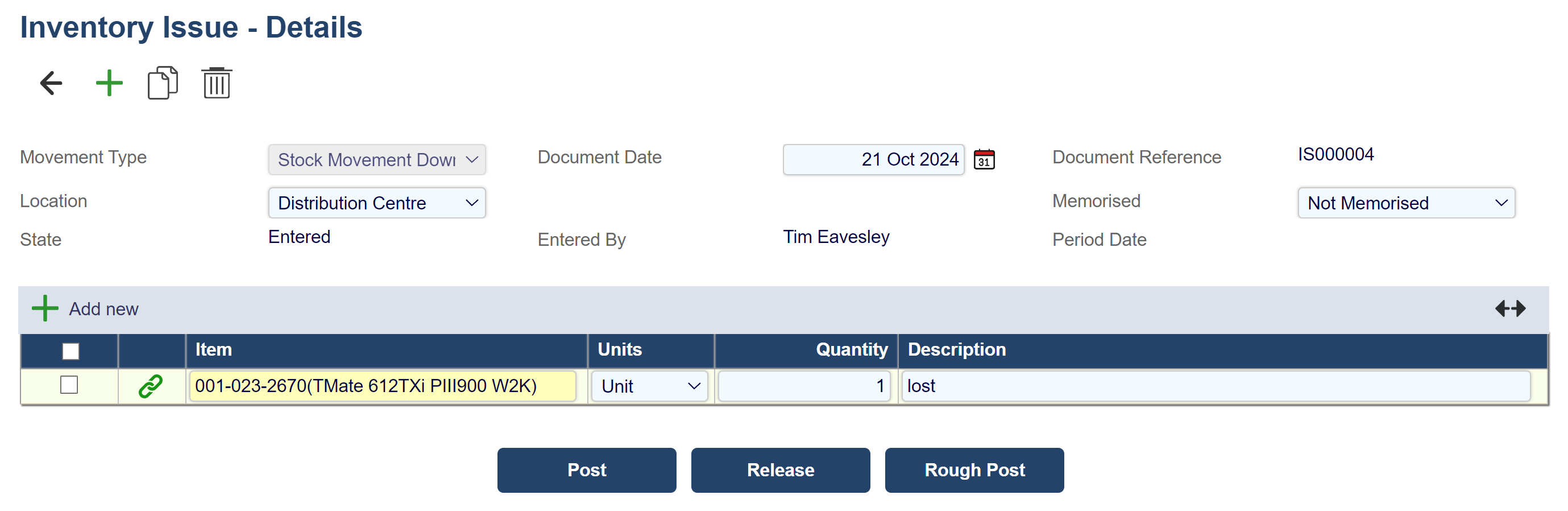
|
Field |
Description |
|---|---|
|
Movement Type |
Description of the type of movement. |
|
Location From |
Stock is moved away from this location. |
|
Document Date: |
Date of the document. |