
Periods
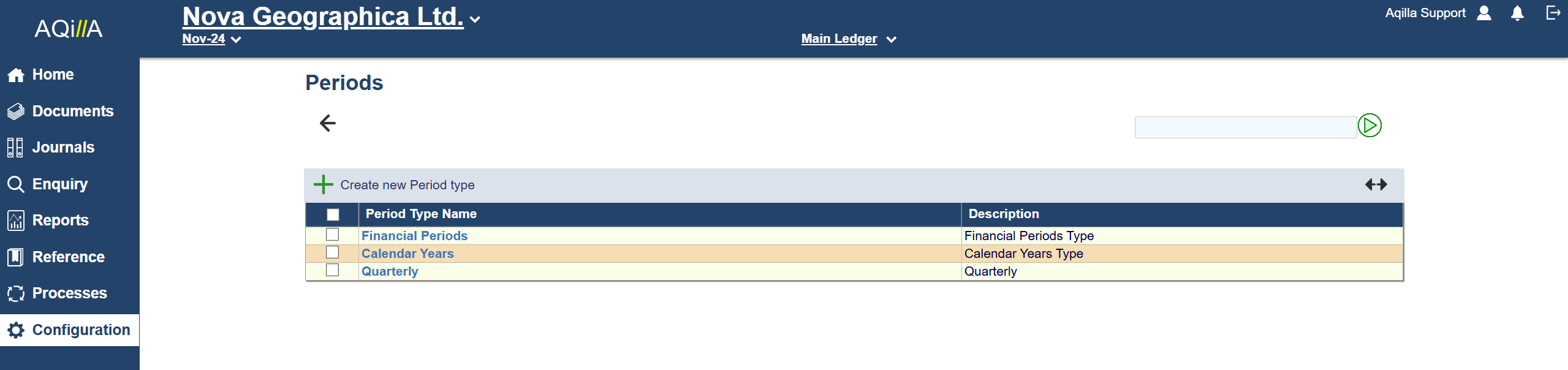
This function is used to maintain periods (and the period types to which they belong). Periods are used throughout Aqilla - see Introduction > Open Period. A sample list of Periods - strictly Period Types - is shown above,
You can also maintain Quarter or other period types.
A sample Period Edit view is shown below:

The header to this list is described below.
|
Filter by Year |
Period Type Name |
Description |
System Current Period |
|---|---|---|---|
|
All or any one of the years for which a financial period has been set. |
The name to be given to the period type |
An optional description of the period type. |
None or anyone of the periods that is set to Post. |
You can edit but cannot delete Financial Period and Calendar Year period types.
Click on Create New Period to add a new period to Aqilla.
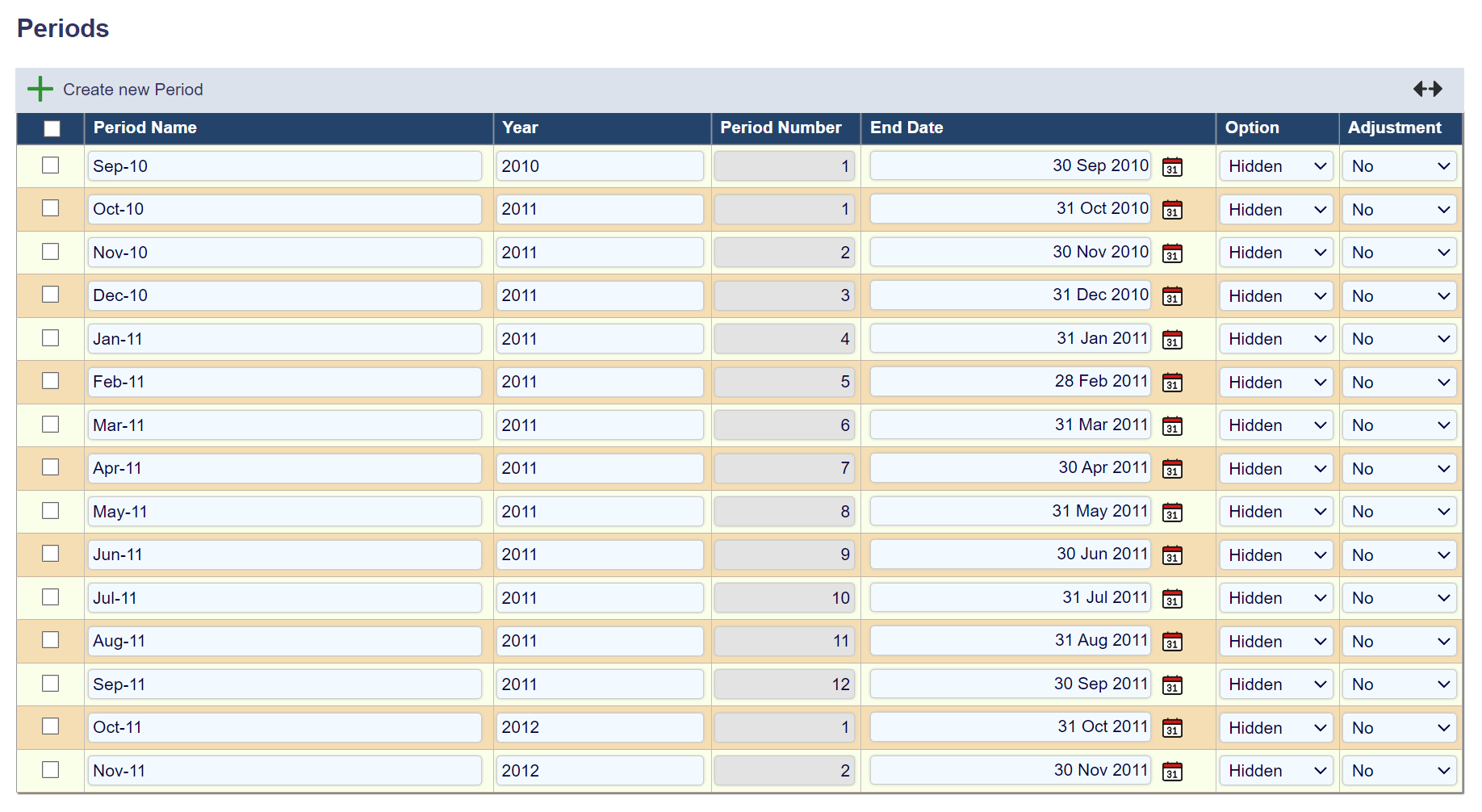
You need to fill out the row and click on the Apply Changes button.
|
Period Name |
Year |
Period Number |
End-Date |
Option |
Adjustment |
|
Name of the period in Aqilla |
Name of The financial Year the period. |
Automatically assigned. Determined by the Financial Year. First period in the financial year will be Period 1, Second period will be assigned to number 2. |
End of the financial period. |
Hidden: Hides the Period in Aqilla and in reports. Post: Allow you to use and post in the period Report: Does not allow posts, but period will show up in Reports. |
Yes/No If set to Yes, you indicate the period is used for adjustments and the fixed asset depreciation run will not post depreciation in that period. |
A financial year may start and finish at any point within the calendar and comprise any number of periods - e.g. 4/4/5; 52; 12 or 13. The fiscal year set against each period governs the automatically generated sequential period number.
Aqilla will behave as follows based on the selected value of Option.
|
Post |
Report |
Hidden |
|---|---|---|
|
You can post to this period. |
You can report on this period but you cannot post to it. |
You can neither post to or report on this period - it will not appear on a list of periods. |
There is no special processing relating to period end but see Processes > Year End Process.