
This function enables you to create, update and delete reference data in Aqilla.
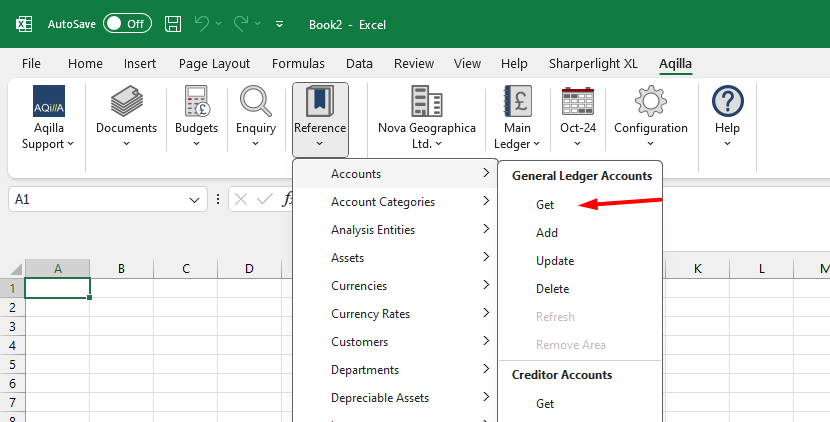
Click on the Aqilla Ribbon in Excel
Then go to References and click on GET to use the function
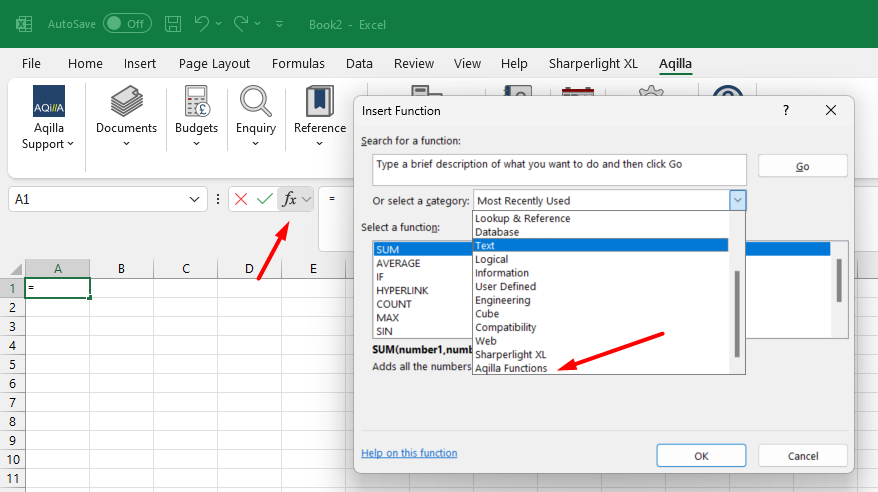
You can also click the Fx icon and select the category Aqilla Functions.
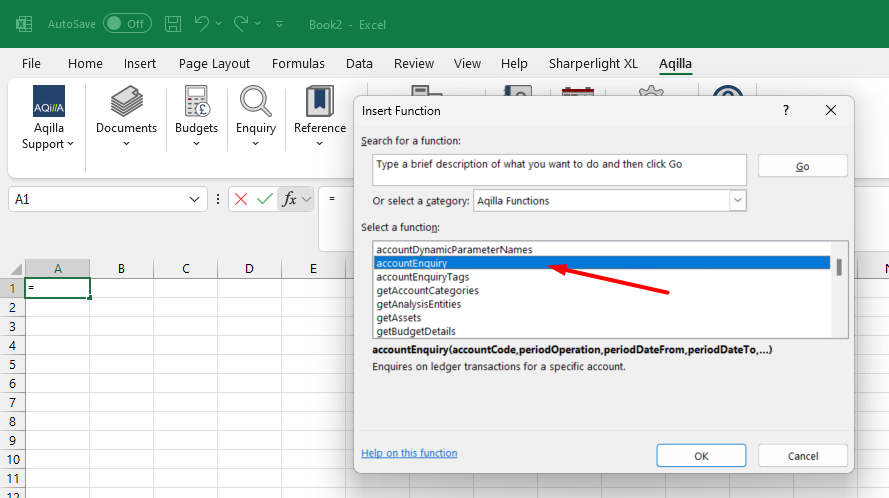
Then select the function you want to use:
Reference Data
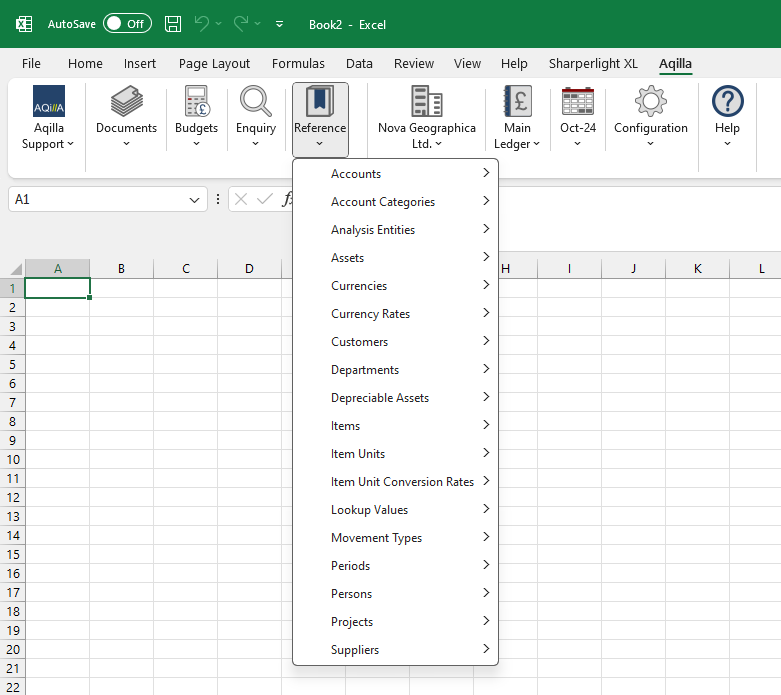
Most of the reference data in the Aqilla have a corresponding Add-in menu under References.

List of reference data.
-
Accounts (Ledger, Creditor, Debtor)
-
Account Categories
-
Assets
-
Budget Lines
-
Customers
-
Currencies
-
Currency Rates
-
Departments
-
Items
-
Item Units
-
Item Unit Conversion Rates
-
Lookup Values
-
Movement Types
-
People
-
Projects
-
Suppliers
You can also upload and - optionally post - various documents. N.B. Expense Claim documents cannot be uploaded via the Add-in. See the various options at Aqilla MS Excel Add-in